
All products
Digital test request and stability workflow platform

Move every test request from submission to approval with clarity.

EzyTRF gives Product Development, Analytical R&D, and QA teams one role-based workspace for Test Request Forms, stability studies, approvals, notifications, and reporting.

T
EzyTRF workspace
Live workflow overview
Active
TRFs submitted
Live
Pending actions
Visible
Study pullouts
Tracked
One clear view of work in motion

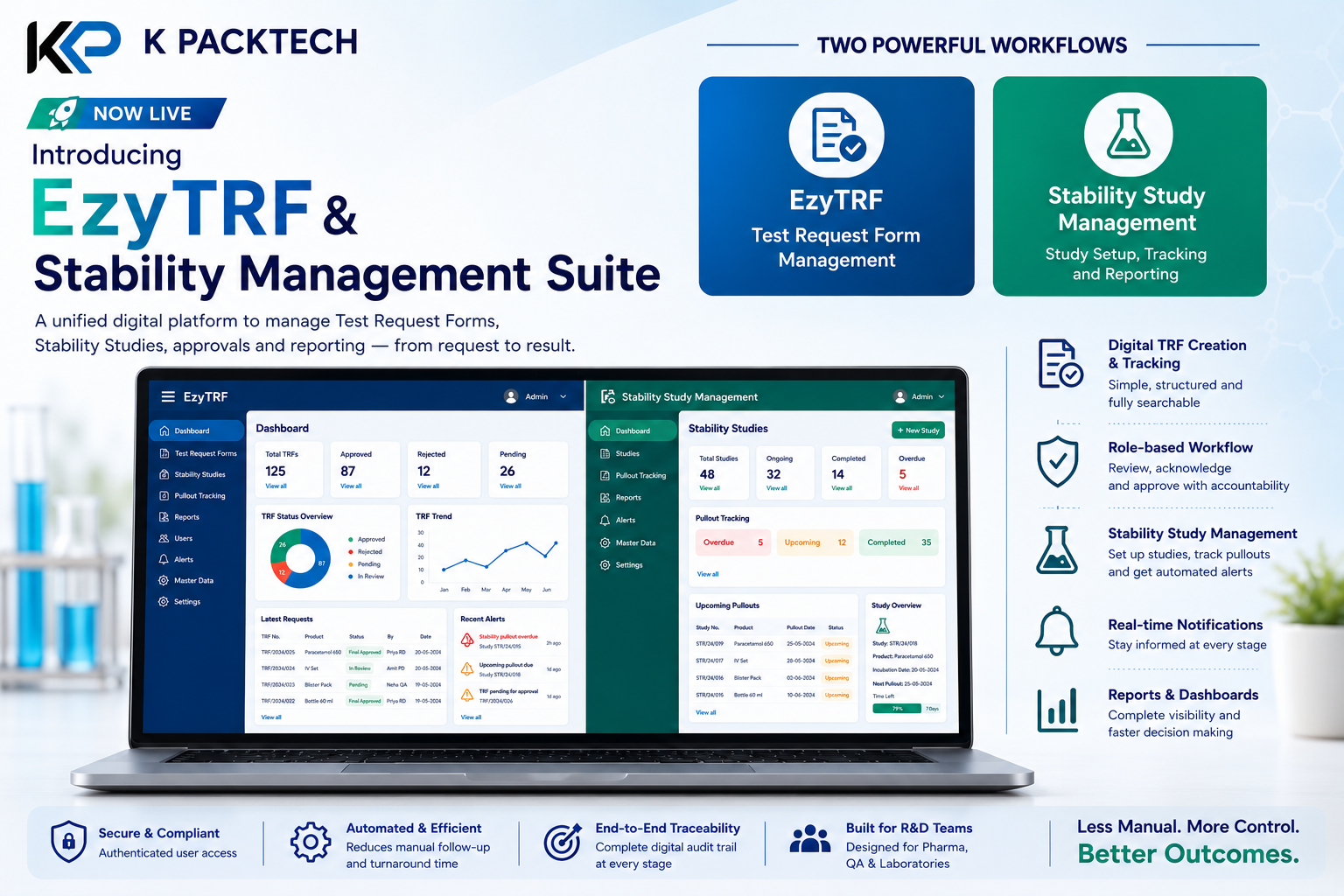
A role-aware dashboard surfaces request status, recent activity, and the next actions that need attention.
01
Product information
02
Tests requested
03
Responsible users
EzyTRF and Stability Study Management dashboards shown side by side on a laptop screen
How it works

A guided request flow that protects complete information

Every TRF follows a straightforward three-step path so essential context, requested tests, and ownership are captured before the work begins.

01

Product information

Record the core product details that form the foundation of the request.

02

Tests requested

Select tests from a standard list or add a specific test and required quantity.

03

Responsible users

Assign PD Manager, ARD Scientist, and ARD Manager responsibilities from the start.

The workflow

How a request moves from submission to sign-off

EzyTRF and its Stability Study module share the same idea: every record has a status, an owner, and a clear next step — never a guess about who should act.

TRF Approval Workflow

Submitted PD Scientist raises the TRF reviews PD Manager Review Approved by PD Mgr acknowledges Acknowledged ARD Scientist takes ownership tests & logs Results Updated ARD Scientist enters data signs off Final Approved ARD Manager + Excel report rejected Rejected PD Manager declines — TRF closed changes requested Changes Requested ARD Manager sends results back for retesting
Every TRF moves through five tracked statuses. The PD Manager can reject a request outright before testing begins; the ARD Manager can send results back for retesting instead of approving — both keep the record auditable instead of silently stuck.

Stability Study Workflow

1. Study Setup PD Scientist defines conditions, positions, time points & tests auto-generates Test Requirement Matrix 2. Incubation Date Set ARD Scientist enters the start date once samples go on stability calculates every pullout due date 3. Sample Pullout Tracking — live for every time point Overdue days-overdue shown live Upcoming due date + day countdown Completed linked to its pull report once every pull is logged 4. Review & Decision PD Manager / ARD Manager review the full stability calendar Study Approved Study Rejected
One incubation date, entered once, drives every pullout due date across every condition, position, and time point — so Overdue, Upcoming, and Completed pulls stay accurate without manual recalculation.
Core capabilities

Built for the work around the test request

Searchable request tracking

Filter every TRF by stage and status, from submission through final approval.

Stability study setup

Capture conditions, positions, time points, tests, and responsible users in one guided protocol.

Test requirement matrix

Automatically map required tests by time point and sample position.

Sample pullout monitoring

See overdue, upcoming, and completed pullouts in one live view with due dates.

Stage-wise acknowledgements

Require formal acknowledgement at each stage to preserve accountability.

Excel-ready reporting

After final approval, download the complete TRF report and notify the PD Scientist.

Designed for regulated teams

Control and accountability at every hand-off

Purpose-built workflows replace scattered follow-ups with status visibility, accountable hand-offs, and a clear record of the decision journey.

✓

Role-based access keeps each record connected to an accountable user.

✓

Automatic alerts notify responsible users when their action is required.

✓

Final approval requires authorised ARD Manager confirmation.

✓

Consolidated reports make throughput and bottlenecks easier to review.

See it in action

Ready to make test requests traceable from day one?